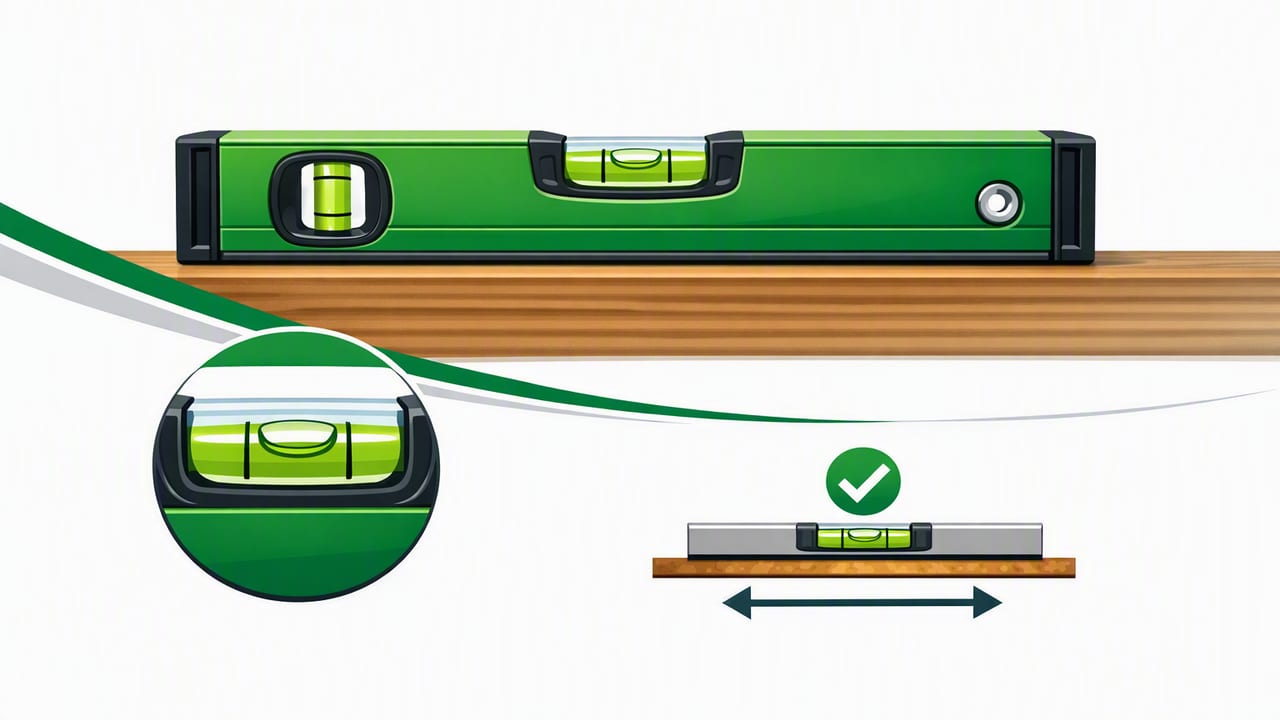
A spirit level is one of the simplest tools in DIY and construction—and also one of the most important. Whether you’re hanging a shelf, aligning cabinet doors, setting fence posts, or checking a drain slope, a level helps you avoid the small errors that turn into big problems later.
Today, you can get the same core functionality on an iPhone using the device’s motion sensors. A good iOS level tool can be a reliable backup (or even a primary tool for many home projects) when you understand how a spirit level works, what accuracy to expect, and how to use it correctly.
What a Spirit Level Actually Measures (Level vs. Plumb vs. Slope)
People often say “make it level,” but a spirit level helps with three related checks:
- Level (horizontal): the surface is flat with no tilt left/right.
- Plumb (vertical): the surface is straight up/down with no lean.
- Slope (pitch): a controlled tilt (useful for gutters, drains, ramps, and grading).
Traditional levels display these conditions with a bubble in a liquid-filled vial. iPhone level apps typically display degrees, percentage, or a digital bubble view using the phone’s accelerometer and gyroscope.
How a Spirit Level Works (And Why It’s Called a “Spirit” Level)
A classic spirit level contains a sealed vial filled with a liquid (historically “spirit” referred to alcohol-based liquid). A small air bubble sits in the vial. When the tool is level, gravity pulls the liquid so the bubble rises to the highest point and rests between two marks.
On an iPhone, the principle is similar: the phone detects gravity’s direction with sensors and calculates the device’s orientation. Instead of a physical bubble, you see a digital spirit level interface—often with a bubble, crosshair, or angle readout.
Key idea: A spirit level is not “measuring flatness.” It’s measuring orientation relative to gravity.
Types of Spirit Levels (And When a Phone Level Fits In)
Not all levels are interchangeable. Choosing the right type depends on access, precision, and the size of the workpiece.
| Type | Best For | Pros | Limitations |
|---|---|---|---|
| Box/I-beam level (24–48 in) | Framing, long spans, walls | Bridges gaps better; stable | Bulky; needs storage |
| Torpedo level (6–12 in) | Tight spaces, plumbing, electrical | Compact; often magnetic | Shorter length can hide dips |
| Line level | String lines, landscaping | Lightweight; simple | Less precise; wind affects string |
| Digital level/inclinometer | Precise slope/angle work | Degree readout; repeatable | Costs more; needs power |
| iPhone level app | Quick checks, DIY, on-the-go | Always available; can show degrees | Depends on calibration and surface contact |
An iPhone app can be especially useful when you need a level right now, when you’re working in a confined area, or when you want a numeric angle for slope.
How to Use an iPhone as a Spirit Level (Step-by-Step)
Using a phone as a spirit level is straightforward, but small technique details make a big difference. Here’s a practical workflow that mirrors how pros use a traditional level.
1) Start with a stable reference surface
Set the phone on a surface you trust (a countertop, a solid table, or a known-straight board). If the surface is dirty, gritty, or textured, wipe it first—debris can create a false tilt.
2) Calibrate (or “zero”) when needed
Many level apps allow calibration. Use this feature if:
- Your phone recently had a case change or screen replacement.
- You dropped the phone hard.
- You notice different readings when you rotate the phone 180°.
Quick accuracy check: Place the phone on a flat surface, note the reading, then rotate the phone 180° in the same spot. Ideally, the reading should match (or be extremely close). If it changes, calibrate.
3) Maximize contact and repeat the reading
Traditional levels have long edges to “average out” small bumps. A phone is short, so compensate by:
- Using a straight board as a bridge over irregularities (especially on tile or textured drywall).
- Taking two readings: one near the left side, one near the right side of the surface.
- For long shelves or rails, check in at least three positions (left/middle/right).
4) Use the right orientation: level, plumb, and 2-axis
Most iOS level tools support:
- Horizontal leveling: phone lying flat on the surface.
- Vertical (plumb): phone against the face of a post/wall.
- Dual-axis leveling: helpful for appliances, tables, and platforms where you care about both left/right and front/back.
When checking plumb, press the phone against a clean, flat portion of the post or stud—not over a knot, screw head, or drywall seam.
Common DIY Jobs Where a Spirit Level Saves You
Here are high-impact tasks where using a spirit level (or iPhone equivalent) prevents frustration and rework.
Hanging shelves and wall rails
- Mark one bracket position.
- Use the level to set the rail/shelf perfectly horizontal before marking the second bracket.
- After drilling, re-check level before tightening fully (fasteners can shift the angle slightly).
Installing cabinets and floating vanities
Cabinet installs often fail because the first cabinet isn’t level. Level the base line first, shim as needed, and re-check after each cabinet is fastened. A dual-axis view helps confirm you’re not “level” in one direction while tilting in the other.
Setting fence posts and gate frames (plumb)
For posts, plumb is everything. Check plumb on two faces (front/back and left/right). If you only check one face, the post can still lean diagonally.
Picture frames and gallery walls
Frames can look crooked even when they’re mathematically level because of visual cues (nearby trim, ceilings, or slightly off floors). Start level, then step back and verify by eye. If the room itself is out-of-square, you may choose a tiny visual adjustment.
Appliance leveling (washers, dryers, fridges)
Use a dual-axis check on the top surface. Many vibrations, leaks, and door-swing issues start with a machine that’s slightly out of level.
Measuring Slope: Converting Degrees to Rise/Run
When you’re working on drainage, ramps, gutters, or shower floors, you often need a specific slope, not perfect level. Many apps show degrees, but building plans often use rise/run (e.g., “1/4 inch per foot”). Here’s a simple conversion you can use.
Formula:
rise_per_foot = 12 * tan(angle_in_degrees)Example: If your phone reads 1.2° of slope:
rise_per_foot = 12 * tan(1.2°) ≈ 12 * 0.02094 ≈ 0.251 inches per footThat’s essentially the common recommendation of 1/4 inch per foot for certain drains and lines (always verify local code and application).
How Accurate Is a Phone Spirit Level?
For many DIY tasks, a well-made iOS level app can be accurate enough—especially for short-span checks, quick verification, and slope measurement. But it’s important to understand what affects real-world results.
Accuracy depends on technique and conditions
- Calibration: the #1 factor.
- Surface contact: cases, camera bumps, and curved surfaces can introduce error.
- Surface length: short tools are more sensitive to bumps and dips.
- Temperature: extreme temperature swings can affect sensors slightly.
- Vibration: readings can fluctuate on running equipment.
A practical tolerance guide
Instead of chasing perfect zeros, match your tolerance to the task:
| Task | Typical Practical Tolerance | Notes |
|---|---|---|
| Hanging frames / décor | ~0.3–0.5° | Visual alignment matters most |
| Shelves and curtain rods | ~0.2–0.3° | Check multiple points on long spans |
| Cabinet runs | ~0.1–0.2° | Shim and re-check after fastening |
| Drain/gutter slope | Match spec (e.g., 1/8"–1/4" per ft) | Use angle readout + conversion |
If you’re doing high-precision work (machinery alignment, critical finish carpentry over long spans), a longer physical spirit level or a dedicated digital inclinometer may still be the better choice.
Common Mistakes (And Easy Fixes)
Mistake: Trusting one reading only
Fix: Take at least two readings—rotate the phone 180° or move it to a second spot. Consistency is a strong signal you can trust the result.
Mistake: Measuring on an uneven or soft surface
Fix: Place a straight board or metal rule across the area and measure on that. This mimics the long edge of a traditional spirit level.
Mistake: Letting the phone case create a tilt
Fix: If your case has raised edges, a ring grip, or an uneven back, remove it for critical checks or measure against a known-flat edge of the phone.
Mistake: Confusing “level” with “square”
Fix: A spirit level tells you orientation to gravity, not whether corners are 90°. Use a square (or measure diagonals) for squareness.
Why Offline Matters for Measurement Tools
A spirit level should work anywhere: in a garage, a basement, a jobsite, or outdoors. An iOS measurement app that works offline avoids delays and distractions—no signal required, no waiting for data, and no reliance on network permissions when you just need a quick reading.
Checklist: A Reliable Spirit Level Routine
- Clean the contact surface (dust and grit matter).
- Calibrate if readings seem inconsistent.
- Bridge irregular surfaces with a straight board for better averaging.
- Check in multiple spots on long surfaces.
- Confirm both axes when leveling appliances and platforms.
- Use degrees + conversion for slope work.
Putting It All Together
A spirit level is fundamentally a gravity reference tool—and that’s why a phone can do the job so well for everyday projects. With basic calibration, good surface contact, and repeat checks, you can confidently hang straighter shelves, set plumb posts, and dial in consistent slope without dragging a toolbox everywhere.
If you’re looking for an offline iOS toolkit that includes a spirit level alongside other measurement and navigation utilities, Level Tool is one example worth exploring.
