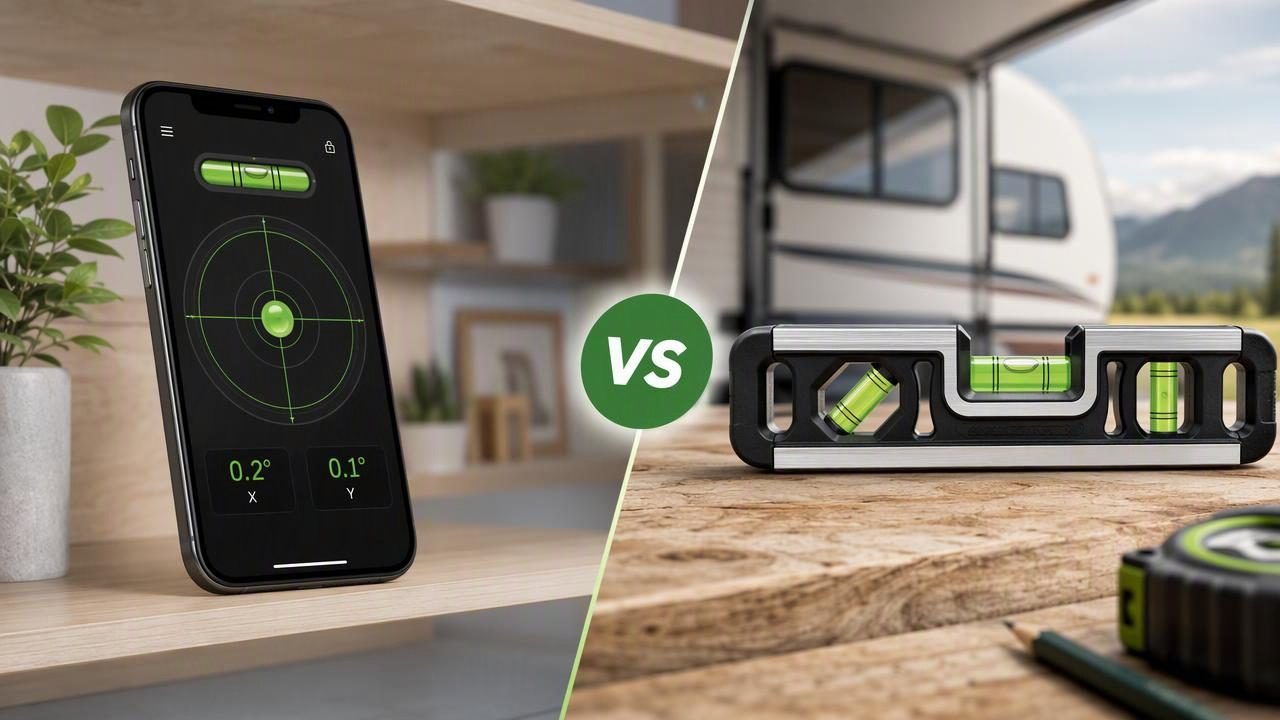
When a shelf looks slightly crooked or a work surface needs checking, a common question is: should you use a pocket level app or a torpedo level? Both tools can help with leveling, but they work differently and suit different situations.
A torpedo level is a compact physical spirit level with liquid vials and bubbles. A pocket level app uses the motion sensors inside an iPhone to display level, plumb, and angle readings. For many DIY tasks, either can be useful. The better choice depends on the surface, the precision needed, the working environment, and whether you need a quick check or a physical reference tool.
This guide compares a pocket level app vs torpedo level in practical terms, including calibration, contact points, repeatability, angle measurement, and the limitations you should keep in mind before relying on either one.
What Is a Torpedo Level?
A torpedo level is a short spirit level, often between 6 and 12 inches long. It normally includes horizontal, vertical, and sometimes 45-degree vial indicators. The bubble moves within a liquid-filled vial, and the marks around the vial show when the tool is level or plumb.
Its small size makes it useful for jobs where a longer carpenter's level would be awkward, including:
- Leveling small shelves and picture frames
- Checking appliance surfaces
- Installing short trim pieces
- Working around pipes, studs, and electrical boxes
- Checking individual boards during simple DIY projects
Because it is a physical tool, a torpedo level is especially useful when its base can rest securely on the material being checked. Many models also have magnetic edges for work on steel studs or metal surfaces, although that feature is not relevant on wood, drywall, tile, or most household furniture.
What Is a Pocket Level App?
A pocket level app turns an iPhone into a digital leveling and angle-measuring tool. It uses the device's built-in motion sensors to detect orientation relative to gravity. Depending on the app, the screen may show a bubble-style display, a numerical angle, a percentage slope, or a horizontal and vertical reading.
The key practical detail is that the phone still needs a reliable physical reference. The app is not measuring a surface from a photograph, through a wall, or from across a room. For a useful reading, place the iPhone directly against the surface or on a stable, flat object that shares the same orientation.
A pocket level app can be convenient for:
- Checking whether a shelf, tabletop, or counter is level
- Comparing the slope of two surfaces
- Setting a target angle for a cut, ramp, or support
- Checking an RV or camper setup
- Making a quick plumb check on a vertical surface
- Working in places where carrying more tools is inconvenient
For DIY users, the main advantage is accessibility: the measuring tool is already on the phone. However, convenience does not remove the need for correct setup and careful interpretation.
Pocket Level App vs Torpedo Level: Side-by-Side Comparison
| Factor | Pocket Level App | Torpedo Level |
|---|---|---|
| Basic operation | Uses iPhone motion sensors and a digital display | Uses a bubble in a liquid vial |
| Best contact method | Phone placed flush against or on a stable surface | Level base placed directly on the workpiece |
| Angle readings | Usually provides numerical angle or slope information | Usually limited to vial references such as level, plumb, and 45° |
| Portability | Available on the iPhone you already carry | Small, but still another physical tool to bring |
| Calibration | May require reference calibration for best results | Fixed vial; should be checked for damage or error |
| Long surfaces | Phone length provides a short reference edge | Short reference edge; a longer level may be better |
| Visibility | Digital numbers can be easy to read in close work | Bubble vials are simple and do not depend on a screen |
| Power requirement | Requires a charged phone | No battery required |
| Offline use | Some apps provide core measurements offline | Always works without connectivity |
When a Pocket Level App Is the Better Choice
A pocket level app is often the stronger option when you need more than a simple centered-bubble answer. A digital display can help you compare small changes in orientation and work toward a defined target angle.
1. You need a numerical angle
Suppose you are building a small angled support and want it to sit at approximately 15 degrees. A standard torpedo level may tell you whether something is level, plumb, or at its marked vial angle, but it usually will not provide a continuous 15-degree readout. An angle-capable app can show the orientation as you adjust the piece.
That does not make the phone a substitute for every specialized construction instrument. It does make it a practical reference for many home improvement tasks where an approximate, repeatable target matters more than formal certification.
2. You need to check level and slope in a tight space
Phones can be placed on a small flat surface, such as a washing machine top, a narrow shelf, or an RV countertop. If a torpedo level does not fit comfortably or cannot sit flat because of an obstruction, the smaller contact footprint of a phone may be useful.
Always ensure that the phone is supported evenly. A phone resting partly on a raised camera area, case edge, screw head, or uneven trim may not match the surface angle accurately.
3. You want visual or haptic feedback while adjusting
Digital level tools can provide an on-screen target and, where supported, sound or haptic feedback as the device approaches level. This can be helpful when you are holding a bracket with one hand and adjusting it with the other. Still, use feedback as an aid rather than a reason to skip a final visual check.
When a Torpedo Level Is the Better Choice
A torpedo level remains a valuable tool, especially for physical installation work. It is durable, immediate, and easy to pass between people on a project.
1. You need a dedicated jobsite tool
Dust, wet conditions, paint, drops, and rough handling are not ideal for a phone. A torpedo level is generally the more sensible choice for messy work, repetitive framing tasks, or situations where the tool may be knocked against materials.
2. You need a stable physical straightedge
The length of a level matters. A short torpedo level, like a phone, only samples a relatively short section of a surface. If you are installing a long shelf, cabinet run, or countertop, a longer level or straightedge provides a better picture of the whole span.
For example, a 10-inch section of a shelf can be level while the far end of the shelf rises noticeably. Neither a phone nor a torpedo level can reveal the entire condition unless you move it across multiple locations or use a longer reference tool.
3. You do not want to depend on battery power
A spirit level does not need charging, an operating system update, or screen visibility. For a basic level/plumb check, its simplicity is a real advantage.
Calibration and Repeatability Matter More Than Tool Type
Whether you choose a pocket level app or a torpedo level, consistent results depend on checking the tool rather than assuming it is perfect.
For an iPhone-based level, begin with a known, stable reference surface when possible. Follow the app's calibration process, then avoid changing the phone case or placing the phone on uneven contact points without checking again. A thick case, a warped case edge, or debris under the phone can introduce an unwanted tilt.
For a torpedo level, perform a simple reversal check. Place it on a reasonably flat surface and note the bubble position. Rotate the level 180 degrees in the same spot. If the bubble shifts substantially, the level, the surface, or both may not be providing a dependable reference.
Repeatability is a useful DIY test for either option:
- Take a reading with the tool in one position.
- Lift it carefully without changing the workpiece.
- Place it back in the same position.
- Compare the reading several times.
If readings vary widely, inspect the contact surface, remove debris, stabilize the material, and check calibration. Do not keep adjusting a project based on fluctuating readings.
A Practical Example: Leveling a Wall Shelf
Imagine installing a 30-inch wall shelf. A pocket level app can help during the initial positioning, particularly if you want a clear angle display while holding the shelf. Place the iPhone flat against the shelf's top surface, preferably without a case that rocks or leaves gaps. Adjust until the reading reaches your target level condition.
Next, move the phone from one end of the shelf to the other. If the readings differ, investigate whether the shelf itself is bowed, whether the brackets are uneven, or whether the contact surface is not flat.
For the final check, a torpedo level can confirm local level at several points, but a longer level is more suitable for checking the full 30-inch span. This illustrates an important point: a pocket level app and torpedo level are often complementary tools, not strict replacements for one another.
Important Limitations to Remember
- Neither tool can correct a warped shelf, twisted board, or uneven wall by itself.
- A phone app needs direct contact with a reliable surface; it cannot measure level accurately from a photo.
- A short tool only checks the section beneath it. Use a longer level for long installations.
- Sensor-based readings should be calibrated and repeated before making permanent cuts or drilling holes.
- Do not treat consumer measurement tools as certified instruments for regulated, safety-critical, or professional inspection work.
- For vehicle or RV setup, use measured readings to guide adjustments, but follow the vehicle manufacturer's instructions and never rely on an app to automate lifting or stabilization.
Which Tool Should You Choose?
Choose a pocket level app when you want quick access, numerical angles, digital targets, and a portable measurement option for indoor DIY, furniture, shelves, and travel. Choose a torpedo level when you need a rugged, battery-free physical tool for straightforward level and plumb checks.
For the most reliable DIY workflow, use the right reference length, make direct and stable contact, calibrate when needed, and repeat readings before committing to an installation. If you use an iPhone for angle work, Level Tool's guide to measuring angles on iPhone offers additional practical guidance on reference calibration and positioning.
