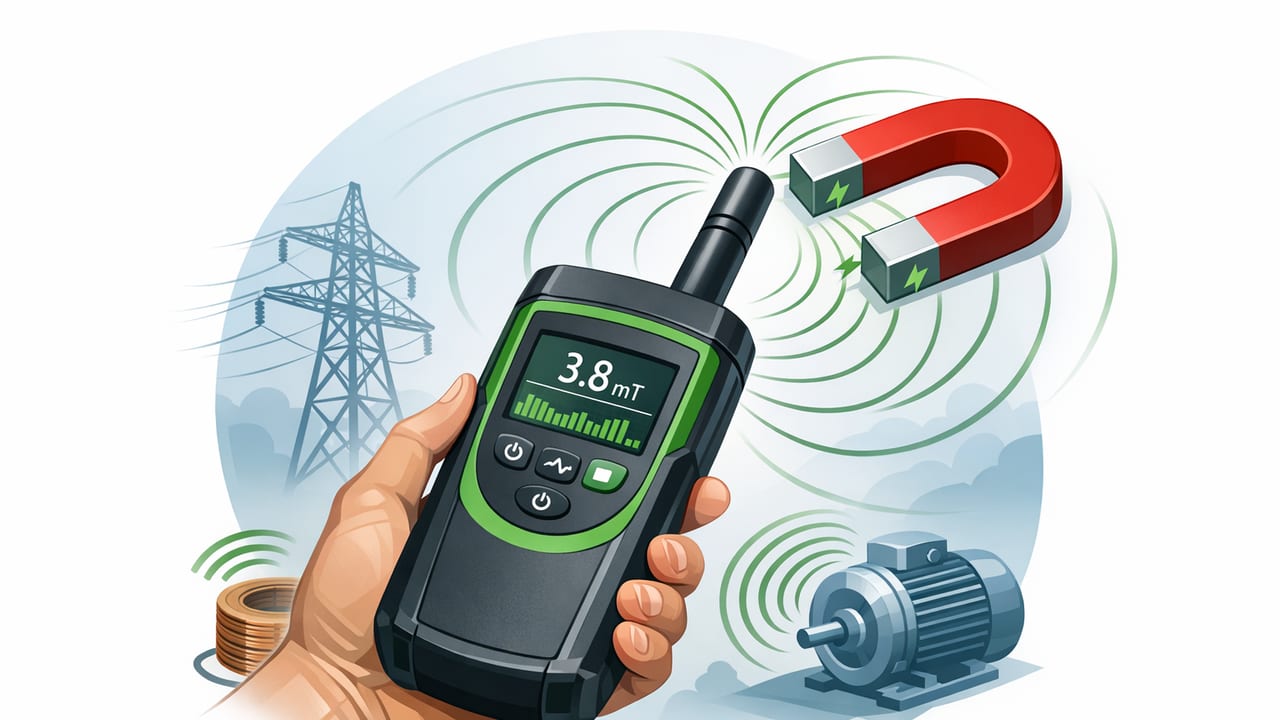
A magnetic field detector on iPhone can be surprisingly useful for DIY checks, quick diagnostics, and field navigation—because modern iPhones include a magnetometer, the same core sensor used to power the device’s compass. With the right app, that sensor can display real-time magnetic field strength and changes in the environment, helping you locate ferromagnetic objects (iron/steel), identify magnetic interference, and improve compass reliability.
This guide explains what an iPhone magnetic field detector can and cannot do, how to calibrate it, how to interpret readings, and practical ways to use it in home improvement and outdoor workflows—especially when you need results offline.
What a magnetic field detector on iPhone actually measures
At its core, an iPhone magnetic field detector reads data from the device’s 3-axis magnetometer. That means it can measure the magnetic field along the X, Y, and Z axes of your phone and typically presents either:
- Per-axis values (X/Y/Z) in microteslas (µT), or
- Magnitude (overall field strength) computed from those axes.
A common way to compute the magnitude is:
|B| = sqrt(Bx^2 + By^2 + Bz^2)In many locations, Earth’s natural magnetic field is often on the order of 25–65 µT. Indoors, readings may be higher and more variable due to building materials, appliances, wiring, and nearby magnets.
Magnetometer vs. “metal detector”: what’s the difference?
The phrase “metal detector” is often used casually, but the iPhone sensor is detecting magnetic fields, not “metal” in general. A magnetic field detector is best at finding or reacting to:
- Ferromagnetic metals (iron, steel) that concentrate or distort magnetic fields
- Permanent magnets (speaker magnets, fridge magnets, MagSafe accessories)
- Electromagnetic sources (motors, transformers, some power supplies)
It’s typically not reliable for locating non-magnetic metals like aluminum, copper, brass, or gold unless they’re part of an assembly that includes magnetic components.
Rule of thumb: If a fridge magnet sticks to it, a magnetic field detector is much more likely to react to it.
Why offline functionality matters for measurement tools
For measurement tasks—especially around the home, in basements/garages, or outdoors—offline matters for three practical reasons:
- Consistency: Sensor readouts don’t need the internet, so results stay available anywhere.
- Speed: No loading screens or ads means faster “scan and check” loops.
- Privacy: Some users prefer that sensor data and location context aren’t routed through remote services.
If you’re building a DIY workflow around repeated checks (before drilling, troubleshooting interference, or verifying compass bearings), offline access is a real quality-of-life improvement.
How to calibrate your iPhone for more reliable magnetic readings
Magnetometers are sensitive. Small biases from nearby magnets, cases, and even your car’s dashboard can skew readings. To get more reliable results:
1) Remove magnetic accessories
Before using a magnetic field detector, remove or separate:
- MagSafe wallets, battery packs, and magnetic mounts
- Cases with magnetic rings or plates
- Keys or tools sitting directly under/next to the phone
2) Move away from obvious interference
Step away from large speakers, breaker panels, motors, and metal shelving. Even rebar in concrete can create background distortion indoors.
3) Reorient the phone slowly
Many iOS compass systems calibrate as you rotate the phone. If your app supports it, follow its calibration prompt. If not, gently rotate the phone through different orientations (tilt + yaw) while watching for readings to stabilize.
4) Establish a baseline
Before scanning an area, note a baseline magnitude a few feet away from the target location. Your goal is to detect relative changes (spikes/dips) compared to that baseline.
How to interpret readings: spikes, gradients, and patterns
A magnetic field detector is most useful when you treat it like a pattern-finding tool, not a single-number truth machine.
- Sharp spike (fast rise in µT as you approach): often a small magnet or concentrated ferromagnetic object.
- Broader hump (gradual increase over a wider area): larger metal object, multiple fasteners, or a structural element.
- Erratic jitter: electromagnetic noise (motors, chargers) or the phone is too close to the source.
- Directional change on one axis: useful when the app shows X/Y/Z; it can hint at the orientation of the field source.
Practical tip: move the phone in a slow grid pattern (left-right, then up-down) and keep the phone’s orientation consistent so you’re comparing like-to-like.
DIY uses for a magnetic field detector (that actually work)
1) Locating nails/screws behind drywall (approximate stud finding)
While it won’t “see” wood studs directly, many studs have nails or screws in predictable vertical lines. Scan a wall slowly and look for repeating spikes aligned vertically. Mark the spots and confirm with a second pass.
Best for: finding metal fasteners used in stud installation.
Not great for: clean walls with minimal fasteners, or where fasteners are too deep.
2) Finding hidden magnets (cabinet latches, child locks, covers)
Magnetic cabinet latches and some hidden hardware can be found quickly because the magnetic signature is strong and localized. The reading typically rises sharply as you approach the latch location.
3) Diagnosing compass problems (navigation reliability)
If your compass direction seems wrong or inconsistent, a magnetic field detector can help you identify whether you’re in a “magnetically noisy” spot. If the magnitude is significantly elevated or fluctuating, step away from:
- Cars and bicycles (steel frames, motors in e-bikes)
- Power tools and extension cords
- Large steel structures, railings, or reinforced concrete
This is especially useful for offline navigation workflows where you want a stable bearing before setting a direction.
4) Checking for magnetic interference near workbenches
If you store tools on magnetic strips or keep magnets near a workspace, that can interfere with compass-based tasks and some sensor-based measurements. A quick scan helps you choose a cleaner spot for compass headings or calibration.
5) Verifying the presence of strong magnets (safety + device care)
Strong magnets can affect not only compass readings but also attract metal shavings and create pinch hazards. If you’re cleaning a workshop area after drilling/filing, a magnetic scan can help you identify where magnets may have collected debris.
What an iPhone magnetic field detector can’t do (limitations to know)
Understanding limits prevents false confidence—especially in DIY contexts.
- Depth is limited: small screws deep behind plaster, tile backer, or multiple layers may not register clearly.
- Not a live wire detector: household AC wiring doesn’t always create a strong magnetic signature you can safely rely on; never treat this as an electrical safety tool.
- Not a general metal finder: non-magnetic metals often won’t show up.
- Orientation matters: rotate the phone and you may change per-axis readings even if the source is stationary.
If you’re deciding where to drill, use the magnetic field detector as a clue, then confirm with appropriate tools (stud finder, inspection camera, or safe probing methods).
Common interference sources (and how to fix them)
| Interference source | Typical symptom | What to do |
|---|---|---|
| MagSafe case/wallet/mount | High baseline everywhere; readings “stick” high | Remove accessories; retake baseline |
| Speakers / subwoofers | Strong spikes near desk/TV area | Step away several feet; scan again |
| Chargers / power bricks | Jittery readings that change with cable position | Unplug/relocate; avoid scanning while charging |
| Car dashboard / mounts | Compass feels wrong; magnetic magnitude elevated | Calibrate outside the vehicle; avoid magnetic mounts |
| Steel studs / rebar | Broad “humps” over large areas | Use relative changes; try multiple scan angles |
A repeatable scanning method (fast and practical)
- Set a baseline: hold the phone 2–3 feet away from the surface and note the magnitude.
- Keep orientation consistent: same phone angle, same height above the surface.
- Scan in a grid: move horizontally in slow passes, then vertically.
- Mark peaks: use painter’s tape or pencil marks where readings spike.
- Confirm: repeat the scan from a different direction (right-to-left, top-to-bottom). Real targets tend to reproduce; noise often doesn’t.
Using magnetic readings alongside other iPhone measurement tools
In DIY and navigation, magnetometer data becomes more valuable when combined with other sensor-based measurements:
- Compass + magnetic field detector: detect interference, then take a more trustworthy bearing.
- Level/inclinometer + magnetic scan: mark a detected fastener line, then level your installation across it.
- Ruler/measurement notes: document distances between detected peaks (useful when matching typical stud spacing).
This “sensor toolkit” approach reduces guesswork because you’re cross-checking the environment from different angles—field strength, orientation, and geometry.
FAQ
Is a magnetic field detector accurate on iPhone?
It can be accurate enough for relative detection (finding spikes and comparing baseline vs. target), but it’s not a lab instrument. Accessories, nearby metal, and calibration state can all affect readings.
What’s a “normal” reading?
Earth’s field is commonly tens of microteslas. Indoors, “normal” varies a lot. The most useful practice is establishing your own baseline in the same space, then looking for clear deviations.
Can it find electrical wires behind a wall?
Don’t rely on it for that. Some current-carrying wires may influence magnetic readings under certain loads and orientations, but it’s inconsistent and not a safe substitute for proper electrical detection.
Closing thought
A good iPhone magnetic field detector is best treated as a fast, offline “environment scan” tool: it helps you spot magnetic anomalies, identify interference that ruins compass bearings, and locate common ferromagnetic targets like screws, latches, and magnets. If you already use your iPhone for DIY measuring, it’s a practical addition to a sensor-based workflow—especially when you don’t want to depend on a network connection.
For those who prefer keeping multiple offline measurement tools in one place, Level Tool is an iOS app that bundles a magnetic field detector alongside other essentials like a level, compass, and ruler.
