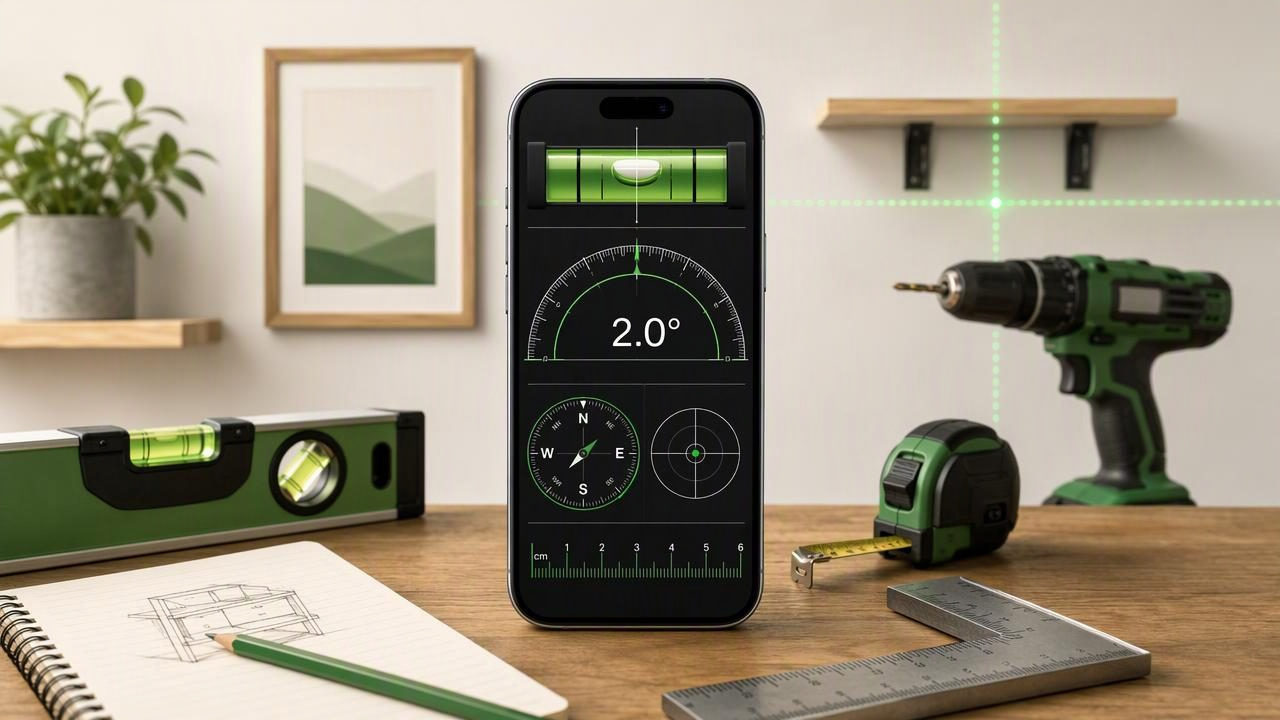
An iPhone toolkit measurement app can be a useful addition to a DIY toolbox when you need quick checks for level, angle, direction, or small measurements. Instead of replacing every physical tool, it gives you convenient access to your iPhone’s built-in sensors for common home improvement tasks.
The key is using those tools correctly. A phone level can help you align a shelf, check whether an appliance is sitting evenly, compare the slope of two boards, or confirm a rough angle before cutting material. However, dependable results depend on physical contact, a stable reference surface, sensible calibration, and repeated readings.
This guide explains how to get practical results from an iPhone measurement toolkit, where it is most useful, and where you should still use dedicated tools or professional equipment.
What Can an iPhone Measurement Toolkit Help You Do?
Modern iPhones contain motion sensors, including accelerometers and gyroscopes, that can detect changes in orientation. Measurement apps interpret that information to display level, tilt, pitch, roll, or angle values. Other phone sensors can support functions such as compass direction or barometric pressure, depending on the iPhone model and app.
For DIY users, the most valuable functions are generally the ones that answer simple setup questions:
- Is this shelf level from left to right?
- Is the top of this cabinet leaning forward or backward?
- What angle is this board, ramp, or bracket?
- Are two surfaces set to the same slope?
- Which direction am I facing when navigating outdoors?
- Is a small object approximately the expected length?
These are practical tasks because they benefit from quick feedback. You can place the phone on a surface, observe the reading, make an adjustment, and check again without changing tools.
Understand the Difference Between a Reading and a Reliable Measurement
A displayed number is not automatically a reliable measurement. For DIY work, reliability comes from the process you use around the measurement. This matters especially when working with a smartphone because cases, camera bumps, uneven surfaces, hand pressure, and sensor drift can all affect the result.
Use this simple principle:
Contact the same reference surface, calibrate when needed, and repeat the check before making a permanent adjustment.
For example, if you are checking a floating shelf, do not rest the phone partly on a mounting screw, a wall bracket, or the raised edge of a protective case. Place it flat on the shelf surface so the device has stable, consistent contact. If the phone rocks, the reading may change even though the shelf itself has not moved.
Why Phone Cases Matter
A thick case can prevent the back or edge of the iPhone from sitting flat. It may also cause the phone to rest at a slight angle. For the most repeatable results, remove a bulky or uneven case before checking a surface. If removing it is not practical, use the same side and orientation of the phone for every comparison during that task.
Consistency is especially important when you are matching two angles rather than trying to establish a perfect absolute level. If the same phone position is used each time, you can often make useful comparisons even on a work surface that is not perfectly flat.
Calibrate Before a Precision DIY Task
Calibration establishes a reference point for your measurement. It does not turn an iPhone into certified surveying equipment, but it can improve the usefulness of an angle or level reading for ordinary installation work.
Choose a calibration surface that you have reason to trust. A known-level workbench, a stable countertop that has already been checked with a physical spirit level, or a flat tile surface can work. Avoid soft furnishings, bowed boards, loose flooring, or surfaces with debris underneath the phone.
- Clean the reference surface and the phone contact edge or back.
- Place the iPhone flat and allow the reading to settle.
- Set the app’s reference or zero point according to its instructions.
- Lift and replace the phone in the same spot to see whether the result repeats.
- Rotate the phone 180 degrees on the same surface and compare the reading.
If readings change significantly after careful placement, stop and inspect the setup. The issue may be an uneven contact surface, a case, dust, a moving workpiece, or an unsuitable calibration reference. Do not force an adjustment based on a reading you cannot repeat.
A Concrete Example: Leveling a Wall-Mounted Shelf
Consider a common DIY project: installing a 90 cm wall shelf above a desk. You have already marked the wall and fitted the brackets loosely, but the shelf can still move slightly before you fully tighten the hardware.
First, place the shelf board on the brackets. Remove a bulky phone case if it prevents flat contact. Put the iPhone near the center of the shelf and use the level display to check side-to-side orientation. Then move the phone near the left end and the right end of the board.
Why check three positions? A shelf can be level in the center yet slightly twisted, bowed, or supported unevenly at one end. If all three checks are consistent, you have stronger evidence that the installation is stable.
| Check position | What it helps reveal | What to do if it differs |
|---|---|---|
| Center of shelf | Overall left-to-right level | Adjust the bracket position gradually |
| Left end | Local tilt or contact issue | Check for a raised screw, debris, or board warp |
| Right end | Twist across the shelf length | Inspect support points and retest |
Once the readings are repeatable, tighten the hardware in small increments. Check again after tightening because bracket movement can occur as screws pull components into place. Finally, verify the shelf with a physical level if the installation will carry heavy loads, hold valuable items, or needs to meet a specific construction requirement.
Use Angle Measurements for Matching and Setup
An angle meter is particularly useful when “level” is not the goal. Many DIY tasks require matching a deliberate incline: a ramp, a sloped support, a decorative trim piece, a garden drainage board, or a reclined stand.
Suppose you need to cut a support brace to match an existing 18-degree slope. Place the iPhone directly against the existing surface or on a straight board resting firmly against it. Record the displayed angle, then use that value to set up your cut or compare the new piece. Test-fit before cutting additional material.
It is often better to use an iPhone angle reading as a comparison tool than as the sole authority for a critical cut. Measure the original surface twice, reposition the phone between checks, and confirm that the result is stable. If the target surface is rough, use a straightedge to create a more consistent contact plane.
Make Repeatability Part of Your Routine
Repeatability means getting substantially the same result when you perform the same check again under the same conditions. For home improvement, it is one of the most useful ways to judge whether you should trust a reading.
Try this quick repeatability test before a project:
- Place the phone on the surface and note the reading.
- Lift it completely away.
- Place it back in the same orientation.
- Repeat two more times.
- Compare the readings before making an adjustment.
If the results are consistent, continue. If they are not, improve the contact conditions or use another method. This small habit can prevent a surprising number of avoidable mistakes, especially when installing cabinets, picture rails, furniture feet, or brackets.
Where Compass, Ruler, and Barometer Tools Fit In
A measurement toolkit can also be useful beyond leveling. A compass can assist with basic outdoor orientation, checking the rough direction of a property feature, or planning a walk when you need an offline reference. Keep the phone away from magnets, metal structures, speakers, and other interference sources when taking a compass reading.
A ruler function is best suited to small, non-critical checks where the object can be placed against the device or compared with a known scale. It is not a substitute for a tape measure when measuring a room, a long board, or a layout that requires construction-grade precision.
Barometric readings can be informative for observing local pressure changes, but they should not be treated as a weather forecast or safety decision tool. For outdoor trips, consult reliable local weather information and carry appropriate navigation equipment.
Important Limitations to Respect
An iPhone toolkit measurement app is convenient, but it has clear limits. Understanding them makes it more useful, not less.
- No photo-based measurement: Do not assume the app can accurately measure distant objects from an image unless a specific feature explicitly supports that workflow.
- No laser distance measurement: A phone display or projection feature is not a replacement for a dedicated laser distance meter.
- No certified accuracy claim: Use professional, calibrated instruments where regulations, engineering tolerances, inspections, or contractual requirements apply.
- No automatic vehicle lifting: A level reading may help you assess an RV or camper position, but it cannot safely operate jacks or replace the manufacturer’s leveling procedure.
- No substitute for safe practice: Check mounting hardware, load ratings, wiring, and structural conditions before relying on any measurement.
Choose the Right Tool for the Consequence of the Task
For everyday DIY alignment, an iPhone can be fast and practical. For hanging décor, checking furniture, setting a shelf, comparing trim angles, or making a rough navigation check, a well-used app can save time. For structural work, long spans, major renovations, electrical work, or safety-sensitive installations, use purpose-built tools and qualified help where appropriate.
The best approach is not “phone versus physical tool.” It is using the phone for quick, repeatable checks and using dedicated equipment when the tolerance, distance, load, or consequence demands it.
If you want an offline option for practical angle checks, Level Tool’s guide to measuring angles with an iPhone explains how to establish a reference and use contact-based readings during DIY setup.
