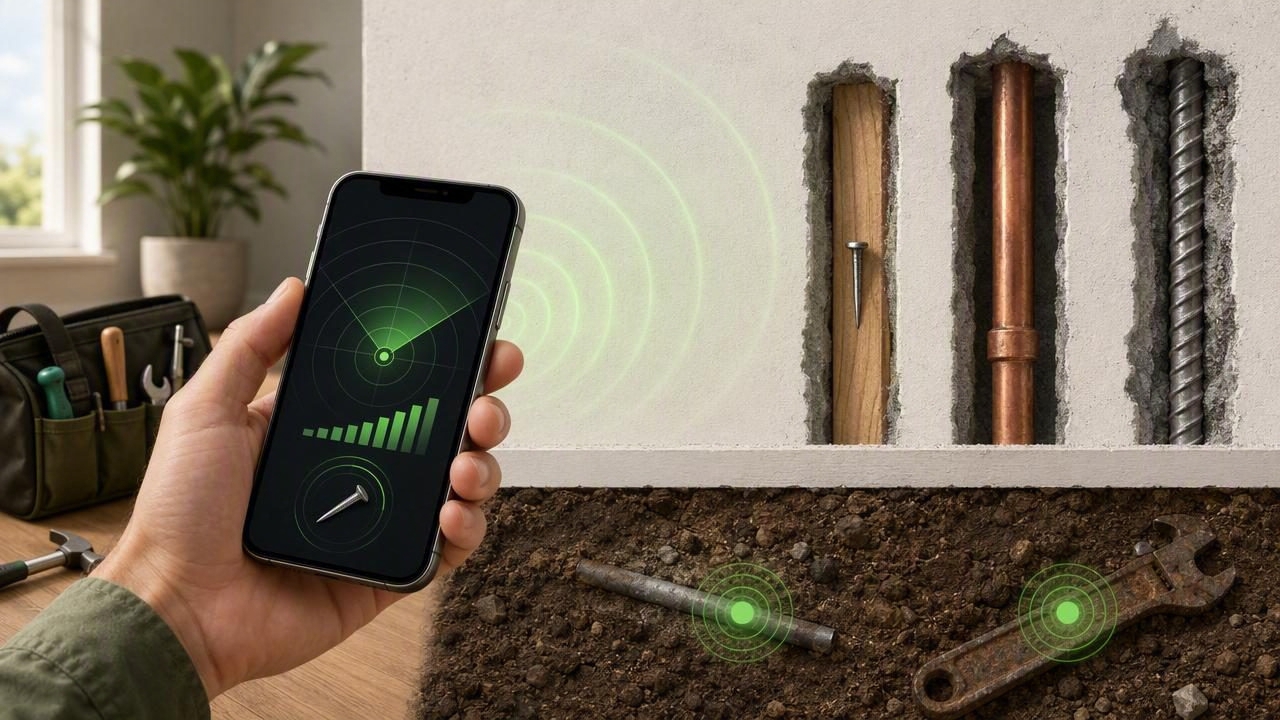
A phone can’t replace a dedicated treasure-hunting detector, but an iPhone metal detector can be surprisingly useful for everyday DIY, workshop, and outdoor tasks. The key is understanding what it’s really detecting: changes in magnetic fields measured by your iPhone’s magnetometer (the same sensor family used for compass features). When you know the limits, you can use a metal detector app to quickly locate hidden nails, screws, steel studs, magnetic latches, lost tools, and other ferromagnetic objects—often without needing internet access.
This guide explains how phone-based metal detection works, what it can and can’t find, and step-by-step techniques to get more reliable readings in real-world conditions.
How a phone “metal detector” actually works
Most metal detector apps on iOS use the device’s magnetometer to measure magnetic flux density. The sensor reports field strength in microteslas (µT). Earth’s magnetic field is typically around 25–65 µT depending on your location. When your phone gets near a ferromagnetic object (like iron or steel), that object can distort the local magnetic field and the magnetometer reading changes—often sharply.
Two important implications follow:
- You’re detecting magnetic disturbance, not “metal” in general. Many non-ferrous metals (aluminum, copper, brass, gold) won’t trigger strong responses unless there’s a magnet, current, or steel nearby.
- Distance matters a lot. Magnetometer sensitivity drops quickly with distance. Small objects may only register within a few centimeters.
Rule of thumb: If a fridge magnet sticks to it, your iPhone metal detector is more likely to notice it.
What an iPhone metal detector can (and can’t) find
| Category | Examples | How well it works | Notes |
|---|---|---|---|
| Ferromagnetic metals | Iron, steel nails/screws, many tools | Good | Best-case scenario; strongest and most consistent readings |
| Magnetic objects | Magnets, magnetic clasps, speaker magnets | Very good | Can spike readings dramatically; may overwhelm the sensor |
| Non-ferrous metals | Aluminum, copper pipes, brass hardware, gold jewelry | Limited | Often weak/undetectable; depends on shape, size, and nearby magnetic sources |
| Live electrical systems | Wiring in walls, motors, chargers | Mixed | Magnetic fields from current can cause readings; not a safe or accurate wire-finder |
Practical DIY uses for a phone metal detector
1) Finding nails and screws behind drywall
If you’ve lost track of where nails, drywall screws, or metal corner bead runs, an iPhone metal detector can help you map the area before drilling. This is especially useful when patching walls, hanging shelves, or trying to avoid hitting old fasteners that can deflect drill bits.
2) Locating steel studs, brackets, or metal framing
Some walls use steel studs or metal framing members. A magnetometer-based approach can sometimes outline the stud line (you’ll typically see repeated peaks where screws attach the drywall to the stud).
3) Retrieving dropped tools and hardware
In a garage, shop, or yard, finding a small steel screw or bit in grass can be frustrating. A phone metal detector won’t “see” deep into soil like a dedicated detector, but for surface-level losses it can help you narrow a search area quickly.
4) Checking for magnetic latches and hidden hardware
Cabinet latches, hidden catches, and some furniture hardware include magnets or steel plates that create clear magnetometer disturbances. This can be useful when diagnosing why a door won’t close or where a latch is positioned.
Step-by-step: how to scan effectively
- Remove obvious magnetic sources first. Take your phone out of a magnetic case, detach accessories, and keep it away from tools, keyrings, and speakers while scanning.
- Start with a baseline reading. Hold the phone away from the surface and note the “normal” value (often near Earth’s field strength). Your goal is to find relative changes, not a magic number.
- Move slowly in a grid. Sweep left-to-right in parallel passes, then rotate and sweep top-to-bottom. A grid pattern reduces false confidence from a single pass.
- Keep distance consistent. Hover the same 1–2 cm from the wall/floor when possible. Pressing the phone against the surface on one pass and hovering on another can change results.
- Watch for repeatable peaks. Mark spots where readings spike. If the spike repeats from multiple directions, it’s more likely a real target.
- Confirm with a second method. For walls, follow up with a stud finder, a small magnet on a string, construction plans, or cautious pilot holes.
Calibration and accuracy tips (the difference-maker)
Phone magnetometers are sensitive. That’s great—until interference ruins your scan. Use these techniques to improve reliability:
- Calibrate your compass/magnetometer. Many iOS devices recalibrate as you move the phone in a figure-eight pattern. If readings feel “stuck” or weirdly high, recalibrate.
- Change orientation. Magnetometers can respond differently depending on the phone’s angle. If you see inconsistent results, repeat the scan with the phone rotated 90 degrees.
- Avoid electronics while scanning. Laptops, power tools, extension cords, wireless chargers, and running appliances can distort readings. Turn off nearby devices when possible.
- Beware rebar and mesh. In concrete floors/walls, rebar or metal lath can create broad, continuous interference—making it hard to isolate a single object.
- Don’t trust a single spike. A key skill is recognizing “repeatable patterns.” Random spikes often come from momentary movement, nearby metal, or electrical noise.
Safety notes (especially for walls)
A metal detector app is not a substitute for safety checks when drilling or cutting. Use extra caution in these cases:
- Electrical wiring: Magnetometer changes do not reliably indicate wire location. Always assume wires may be present near outlets, switches, and along studs.
- Pipes: Copper and PVC won’t reliably show. Even steel pipes can be masked by surrounding metal fasteners.
- Load-bearing structures: If you’re uncertain, consult a professional before drilling into structural members.
Why offline matters for measurement tools
Many people use a phone metal detector in basements, garages, remote cabins, or outdoors—places where reception is poor. A tool that works offline is more dependable because sensor reading doesn’t require cloud processing. Offline operation also tends to mean faster startup, fewer interruptions, and better privacy for on-site work.
Quick comparison: phone metal detector vs dedicated detector
To set expectations, here’s how phone-based magnetometer scanning compares to a purpose-built unit:
- Depth: Dedicated detectors typically detect deeper targets. iPhone detection is usually shallow (often centimeters, not tens of centimeters).
- Metal types: Dedicated detectors can detect a wider range of metals using electromagnetic induction. Phone magnetometers mostly react to ferromagnetic materials and strong magnetic fields.
- Discrimination: Dedicated detectors may distinguish between metal types. Phone readings generally can’t tell you whether something is a nail or a bracket—only that the magnetic field changed.
- Convenience: Your phone is already with you, boots instantly, and is ideal for quick checks.
Troubleshooting: common issues and fixes
“The reading is high everywhere”
This often happens near large metal objects (appliances, steel tables), reinforced concrete, or strong magnets (speakers). Move to a different area to establish a clean baseline, then return and scan closer to the suspected target zone.
“Numbers jump around even when I’m not near metal”
Try recalibrating, stepping away from electronics, and scanning more slowly. Also check whether your phone case has magnets (many do).
“I can’t detect a coin or jewelry”
That’s normal. Many coins and jewelry items are not strongly ferromagnetic. An iPhone metal detector is best for iron/steel objects and magnets, not precious metal hunting.
Developer corner: reading magnetometer data in iOS (Swift)
If you’re curious what a metal detector app is measuring, iOS can provide raw magnetometer readings via Core Motion. Apps typically compute a magnitude value from the x/y/z components and look for changes.
import CoreMotion

let motion = CMMotionManager()

if motion.isMagnetometerAvailable {
    motion.magnetometerUpdateInterval = 0.1
    motion.startMagnetometerUpdates(to: .main) { data, error in
        guard let m = data?.magneticField else { return }
        let magnitude = sqrt(m.x*m.x + m.y*m.y + m.z*m.z) // microteslas (µT)
        print("Magnetic field magnitude: \(magnitude)")
    }
}
Tip: Real-world implementations also smooth values (moving average), clamp outliers, and provide clear UX cues (audio/vibration) when the magnitude rises above a baseline threshold.
FAQ: iPhone metal detector questions
How accurate is an iPhone metal detector?
It can be accurate for relative detection of nearby ferromagnetic objects: you’ll often see consistent spikes when you pass over steel fasteners or magnets. It’s not accurate for identifying metal type or depth, and results vary by environment and phone model.
Will it find studs?
Sometimes. If the wall uses steel studs or has a line of steel screws, you may see a repeating pattern. For wood studs, it won’t detect the wood itself—only metal fasteners.
Can it detect gold?
Usually no. Gold is not ferromagnetic, so it won’t reliably disturb the magnetometer in a way you can detect at practical distances.
Can it detect wires behind walls?
Not safely or reliably. Electrical current can create magnetic fields, but readings depend on load, distance, orientation, and interference. Use a proper wire detector and safe drilling practices.
Putting it all together
A phone-based metal detector is best viewed as a fast, convenient scanner for magnetic anomalies. Use it to narrow down where something steel or magnetic might be, then confirm with a second method before drilling, cutting, or digging. If you scan slowly, calibrate, avoid interference, and look for repeatable peaks, you’ll get far more consistent results.
If you prefer keeping a few practical measurement tools together in one offline kit on iOS, apps like Level Tool bundle a metal detector-style sensor view alongside other jobsite basics—useful when you want quick checks without subscriptions or connectivity.
