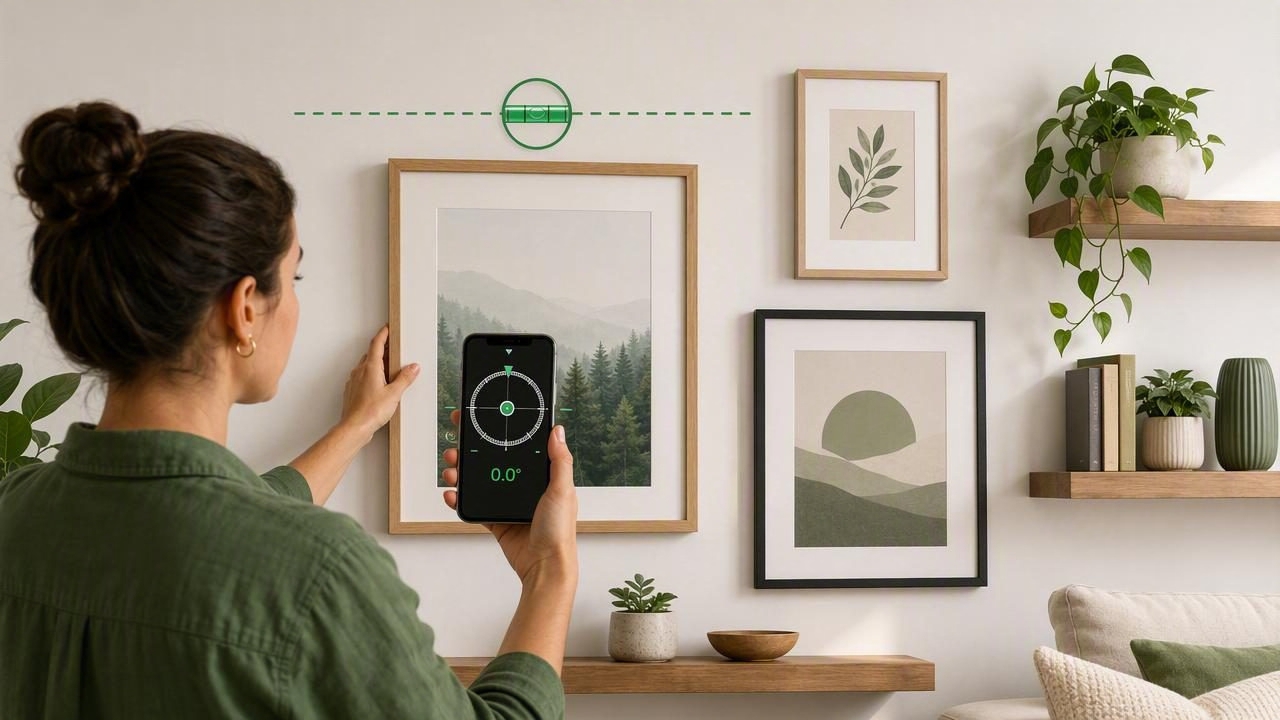
A crooked picture frame can make an otherwise polished room feel unfinished. Whether you are hanging a single mirror, installing floating shelves, or arranging a gallery wall, accurate alignment matters. The good news is that you do not always need to search for a traditional spirit level. An inclinometer app on your iPhone can help you check horizontal and vertical alignment using the device's built-in motion sensors.
This guide explains how to get level wall decor with an inclinometer app, including preparation, calibration, layout techniques, and practical troubleshooting. With a careful process, you can create clean, balanced results for home improvement projects of nearly any size.
What Is an Inclinometer App?
An inclinometer measures an object's angle relative to level or plumb. In a measurement app, this information is usually displayed as degrees, a bubble-style indicator, or both. When the reading reaches 0.0°, the surface is level. When you rotate the device 90 degrees and the app shows a plumb reading, the surface is vertically straight.
For wall decor, an inclinometer app works much like a digital level. You can place your iPhone against the top edge of a frame, shelf, or mounting rail and watch the screen as you make small adjustments. Many apps also offer dual-axis readings, which can be helpful when working with larger objects that may tilt in more than one direction.
Why Use an Inclinometer for Wall Decor?
Traditional bubble levels remain useful, but a phone-based inclinometer offers convenience when you are already using your device for measuring, planning, or viewing design inspiration. It is especially useful for quick alignment checks during DIY projects.
- Fast setup: Your phone is likely already within reach.
- Precise angle feedback: Digital readings can show small deviations that are difficult to notice by eye.
- Easy rechecking: Confirm the result after tightening screws or settling a frame onto its hooks.
- Useful for many projects: Check art, mirrors, curtain rods, shelves, cabinets, and wall-mounted organizers.
- Offline convenience: Sensor-based leveling tools generally work without Wi-Fi or cellular service.
Still, the app is only as reliable as your setup. Calibration, phone case thickness, uneven walls, and incorrect placement can all affect the reading. Taking a few extra minutes before drilling will save time and unnecessary patchwork later.
Before You Start: Gather the Right Supplies
An inclinometer app is one part of a successful hanging process. Prepare your work area and collect the mounting hardware suited to the weight and wall type of your decor.
| Item | Why It Helps |
|---|---|
| Inclinometer app | Checks whether decor is level or plumb. |
| Tape measure | Sets consistent heights and spacing. |
| Pencil or painter's tape | Marks mounting points without permanent damage. |
| Wall anchors or studs | Provides secure support for heavier decor. |
| Picture hooks or mounting brackets | Matches the hanging method to the frame or mirror. |
| Microfiber cloth | Keeps dust from affecting the phone's contact surface. |
Before placing your phone against a frame, remove a bulky case if it prevents the device from sitting flat. A case with a raised camera bump, rounded edges, or textured back may create a slight angle and lead to an inaccurate result.
Step 1: Calibrate the Inclinometer App
Calibration gives the app a reference point for level. Most iPhone inclinometer apps include a calibration option in settings or on the level screen. Start on a surface you reasonably trust, such as a sturdy countertop, a known level shelf, or a traditional spirit level placed on a table.
- Place the iPhone flat on the reference surface.
- Open the inclinometer and wait for the reading to stabilize.
- Use the app's calibration or zero function if needed.
- Rotate the phone 180 degrees in the same position.
- Compare the reading. If the result changes significantly, recalibrate or test another surface.
The rotation test is important because it helps identify whether the issue is the surface, the phone placement, or the app settings. For quick frame adjustments, a tiny variation may not matter. For a long shelf, gallery rail, or large mirror, calibration deserves more attention.
DIY tip: Calibrate before beginning a project and recheck if your phone is dropped, the case is changed, or the app seems inconsistent.
Step 2: Plan the Height and Position of Your Decor
Level decor can still look awkward if it is placed too high, too low, or too far from nearby furniture. For single artwork, a common interior-design guideline is to position the center of the piece around eye level. In many homes, that falls near 57 to 60 inches from the floor, though the best height depends on ceiling height, furniture, and the people using the space.
When hanging art above a sofa, console, or bed, treat the furniture and wall decor as one visual grouping. Leave enough space for the objects to feel connected, without crowding them together. Painter's tape is a practical planning tool: outline the frame shape on the wall and step back to assess the placement before making holes.
Account for the Hanging Hardware
Do not mark a nail location based only on the top of the frame. Measure the distance between the frame's top edge and the hanging wire, D-ring, or sawtooth hanger under tension. A wire can shift substantially when it rests on a hook, especially on larger frames.
For frames with two D-rings, measure carefully and install both hooks at the same height. This reduces frame shifting and makes it easier to maintain a level result over time.
Step 3: Mark a Level Reference Line
For one small frame, you can often mark the hanging point and adjust after installation. For a wider piece, multiple hooks, or a gallery wall, create a level reference line first. This line acts as your visual baseline for all mounting points.
Place the long edge of your iPhone against the wall where the line will go. Use the inclinometer display to adjust the phone until it reads 0.0°. Then make two small pencil marks along the phone's edge, or apply a short strip of painter's tape along that line. Repeat this process farther along the wall if you need a longer guide.
Walls are not always perfectly flat. If the phone rocks, do not force it into a position that changes the angle. Instead, choose another section, use a straight board as a temporary reference, or verify the marks with a physical level if the project demands high precision.
Step 4: Install Hardware and Hang the Decor
Install the appropriate hook, screw, or anchor at your marked points. Use a stud finder when mounting heavy items, and always follow the weight limits for the hardware you select. Mirrors, oversized frames, and shelves require more than a simple picture nail.
Once the decor is hanging, let it settle naturally on the hooks. Do not immediately trust its visual appearance; ceilings, floors, and nearby trim can be slightly out of level and may create an optical illusion. Instead, place the phone's flat edge carefully against the upper frame rail or shelf surface.
Make small adjustments until the inclinometer reaches level. If the object uses two hooks, move one side a few millimeters at a time. For wire-hung frames, shifting the wire on the hook may be enough. After each adjustment, remove your hand and let the frame settle before checking again.
Step 5: Verify the Result From Multiple Angles
A level reading is essential, but it is not the only quality check. Step back several feet and view the decor from the center of the room, then from each side. Confirm that the piece looks balanced relative to nearby furniture, door frames, and other artwork.
For gallery walls, check both the individual frames and the overall arrangement. Each frame can be level while the group still appears uneven because spacing or center lines are inconsistent. Use your tape measure to verify gaps between frames and use the inclinometer app to confirm that shared rows remain horizontal.
- Check the top edge of every frame in a horizontal row.
- Measure the gaps between adjacent frames.
- Confirm vertical columns with a plumb reading when needed.
- Recheck after opening nearby doors or moving furniture, which can change your visual perspective.
Common Inclinometer App Mistakes to Avoid
Using the Phone Over a Thick Case
A case can make the phone sit unevenly against a frame. Remove it when precision matters, particularly if the camera bump or case lip prevents flat contact.
Checking Against Decorative Molding
Frame molding may be intentionally beveled, rounded, or irregular. Use a straight, flat frame edge or place a straight board across the piece and check that instead.
Assuming the Ceiling Is Level
Older homes often have ceilings, floors, and trim that are not perfectly level. Aligning decor with an uneven ceiling can make it technically crooked. In most cases, prioritize true level, then make a visual judgment if architectural lines are noticeably off.
Ignoring Loose Hardware
If a frame repeatedly drifts after being leveled, the issue may be the hanging system rather than your measurement. Replace weak hooks, tighten D-rings, or use adhesive bumpers at the lower corners to reduce movement.
When an Inclinometer App Is the Best Choice
An inclinometer app is ideal for routine home improvement tasks, quick inspections, and adjustments where portability matters. It is useful when you need to check a frame after cleaning, reposition wall decor in a rental, or verify a shelf while working in a room without a toolbox nearby.
For structural work, long cabinetry runs, major tile installation, or projects governed by building requirements, use professional-grade tools and appropriate construction methods. A phone app is a practical measurement aid, not a substitute for safe mounting hardware, careful planning, or specialized equipment where high-stakes accuracy is required.
Final Thoughts
Learning how to get level wall decor with an inclinometer app is a simple way to improve the finish of your DIY projects. Calibrate the app, plan your placement, mark a reliable reference line, and check the final result after the decor settles. These steps help you avoid crooked frames, uneven gallery walls, and unnecessary extra holes.
For homeowners who want multiple offline measurement tools in one place, an iOS app such as Level Tool can be a convenient companion for leveling, measuring, and other everyday home improvement tasks.
