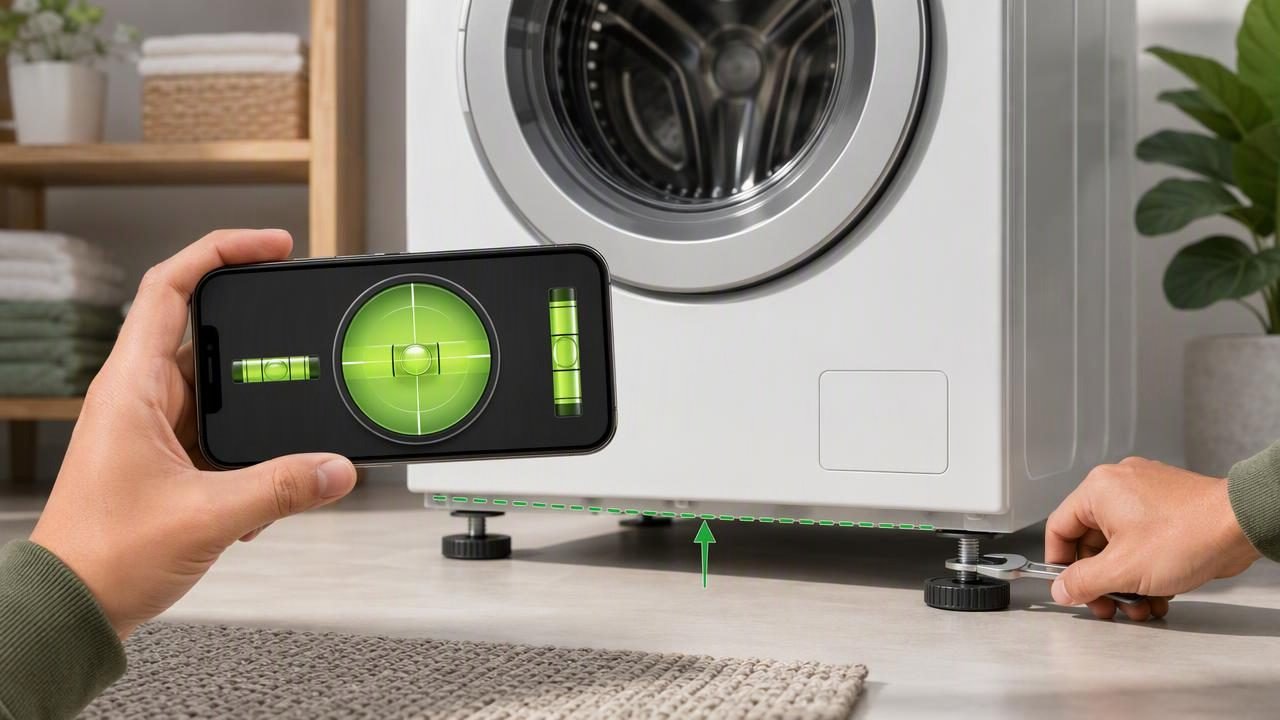
A washing machine that rocks, rattles, walks across the floor, or produces excessive vibration may not be sitting level. Before assuming there is a mechanical fault, it is worth checking the appliance position. You can check a washing machine with a bubble level app using an iPhone, provided you calibrate the app correctly and place the phone on a stable, flat contact surface.
Leveling does not repair worn suspension parts, damaged shock absorbers, uneven flooring, or an overloaded drum. However, it can help you identify whether the machine cabinet is leaning from side to side or front to back. This is especially useful after moving a washer, installing a new appliance, replacing flooring, or noticing new vibration during spin cycles.
This guide explains how to use a bubble level app for a washing machine, where to place your phone, how to adjust the feet, and when leveling is not enough to solve the problem.
Why a Level Washing Machine Matters
Washing machines use high-speed spinning to remove water from clothes. During a spin cycle, even a small imbalance can create movement and vibration. Modern machines can compensate for some uneven loads, but a machine that is not properly supported may still shake, make noise, or shift position.
A level appliance helps with several practical issues:
- Reduces rocking caused by one foot not fully touching the floor.
- Helps distribute the machine’s weight more evenly.
- May reduce vibration during high-speed spin cycles.
- Makes it easier to identify whether the floor or the appliance is causing movement.
- Supports a more stable installation after moving or replacing the washer.
Leveling is not only about the bubble appearing centered. The washer must also have all feet firmly in contact with the floor. A machine can appear close to level at the top while still rocking because one adjustable foot is slightly raised.
What You Need Before You Start
You can perform a basic level check with a bubble level app and a few household items. Make sure the machine is off before adjusting its feet.
- An iPhone with a calibrated bubble level or angle meter app.
- A clean, dry, reasonably flat section on top of the washing machine.
- A wrench or pliers suitable for the appliance’s adjustable feet and lock nuts.
- A flashlight for viewing the feet beneath the cabinet.
- A second person, if the washer is heavy or difficult to move safely.
Do not rely on a phone placed on a rounded control panel, detergent drawer, or sloped lid. For useful readings, your phone needs actual, stable contact with a flat surface that reflects the orientation of the washer cabinet.
Calibrate the Bubble Level App First
Calibration establishes a reference point for your phone. Without it, a reading may include a small offset caused by the phone case, a camera bump, an uneven surface, or the device’s resting position. Calibration is particularly important when you are trying to make small foot adjustments.
Start by removing a thick or uneven phone case if it prevents the iPhone from resting flat. Then calibrate on a surface you have reason to trust, such as a known level countertop or a reliable physical spirit level. Follow the app’s calibration instructions carefully.
If you do not have a confirmed level reference surface, you can still use the app for repeatability: take a reading in one position, rotate the phone 180 degrees on the same spot, and compare the result. If the readings differ substantially, recalibrate or choose a more stable contact point.
Useful rule: A level app is most helpful when you use the same phone orientation, the same contact surface, and repeated readings before and after each adjustment.
How to Check a Washing Machine With a Bubble Level App
A washing machine should be checked in two directions: side to side and front to back. Many level apps provide dual-axis readings, which can show both directions at once. Still, checking each direction separately can make the adjustment process easier to understand.
1. Empty and stabilize the machine
Turn the washing machine off and remove any laundry from the drum. An uneven load can affect how the appliance settles, especially if it is already unstable. Close the door or lid, make sure the machine is not running, and avoid pulling on the hoses while checking its position.
2. Find a flat place on top of the cabinet
Choose a solid, flat section of the washer’s top panel. Avoid flexible trim, raised buttons, curved edges, and areas where the phone might tilt because of a seam. Wipe away detergent residue or moisture so the iPhone can sit securely.
Place the phone gently on the surface. Do not hold it in place, as pressure from your hand can alter the angle reading.
3. Check side-to-side level
Position the phone so its long edge runs from the left side of the washer to the right side. Look at the bubble display or angle measurement. If the bubble is off center, note which side is lower according to the app’s orientation display.
Repeat the reading two or three times, lifting and replacing the phone in the same location. Consistent results are more useful than one isolated measurement. If the readings vary, inspect the top panel for seams or choose another flat spot.
4. Check front-to-back level
Rotate the phone 90 degrees so its long edge points from the front of the washer toward the back. Record the reading, then repeat it. This direction matters because a machine can be level from side to side but lean forward or backward due to the front feet, rear feet, or floor slope.
5. Test for rocking
With both hands on opposite top corners, gently press the washing machine diagonally: front-left to back-right, then front-right to back-left. Do not push hard enough to move the appliance. If it rocks, one or more feet are not making secure contact with the floor.
A bubble level app can reveal cabinet angle, but this manual rocking check reveals an equally important issue: whether the washer is physically supported on all feet.
Adjusting the Washing Machine Feet
Most washers have adjustable front feet. Some models also have rear leveling feet or a rear self-leveling mechanism. Check your appliance manual before making adjustments, because the locking method and foot design vary by model.
- Disconnect power if you need to move or tilt the washing machine.
- Locate the adjustable feet and their lock nuts, if fitted.
- Raise or lower the relevant foot in small increments.
- Set the machine back down carefully so each foot contacts the floor.
- Check for rocking before taking another bubble level reading.
- Repeat the side-to-side and front-to-back measurements.
- Tighten lock nuts against the cabinet once the machine is stable.
Make one small adjustment at a time. Turning a foot too far can solve one direction while creating a new lean in the other. After every change, let the appliance settle naturally before measuring again.
Concrete Example: Correcting a Front-Right Lean
Imagine your bubble level app shows that the washing machine is low on the front-right side. The front-to-back reading also indicates the front is slightly lower than the back. When you press the front-right corner, the machine rocks.
In this situation, the front-right foot may need to be extended downward so it reaches the floor firmly. Turn the foot gradually according to the appliance design, lower the machine back into place, and press the front-right corner again. If the rocking stops, place the phone back on the same top-panel location and recheck both axes.
If the side-to-side reading improves but the front-to-back reading becomes worse, make a smaller compensating adjustment to the front-left foot or reassess the rear support. The goal is not simply a centered bubble; it is a stable washer with repeatable near-level readings and no rocking.
Interpreting Bubble Level App Results
| What You Observe | What It May Mean | Practical Next Step |
|---|---|---|
| Bubble is off center left to right | The cabinet is leaning sideways | Check and adjust the lower-side feet in small steps. |
| Bubble is off center front to back | The washer is leaning forward or backward | Inspect front feet and rear support according to the manual. |
| Reading is near level but washer rocks | A foot may not be contacting the floor | Perform the diagonal push test and secure the loose foot. |
| Readings change each time | Poor phone contact, uncalibrated app, or flexible surface | Recalibrate and use the same flat contact location. |
Important Limits of a Phone Bubble Level
An iPhone bubble level app is useful for everyday DIY checks, but it is not a substitute for appliance service diagnosis or a certified professional measurement instrument. The result depends on sensor calibration, phone placement, the flatness of the washer top, and repeated technique.
It also cannot tell you whether internal components are worn or whether a spin-cycle issue comes from bearings, suspension, shipping bolts, damaged flooring, or an unbalanced load. If the machine remains loud or moves significantly after leveling, stop using it if necessary and consult the manufacturer’s instructions or a qualified appliance technician.
Never use a level app to attempt automatic appliance lifting, and do not place hands, blocks, or a phone beneath an unsupported washing machine. Use safe lifting methods and follow the appliance manufacturer’s guidance.
Final Checklist Before Running a Test Load
- The washer is off and its feet are firmly contacting the floor.
- The cabinet does not rock when pressed at opposite corners.
- Side-to-side and front-to-back readings are checked from the same top location.
- Level readings are repeatable after repositioning the phone.
- Foot lock nuts are tightened where the appliance design requires them.
- Hoses and power cable are not strained after repositioning the machine.
Once everything is secure, run a small test load and observe the washer during spin. Some normal vibration is expected, but excessive shaking, repeated movement, or unusual noise points to an issue beyond simple leveling.
For more detail on reference calibration and consistent angle readings, see Level Tool’s guide to measuring angles on iPhone.
