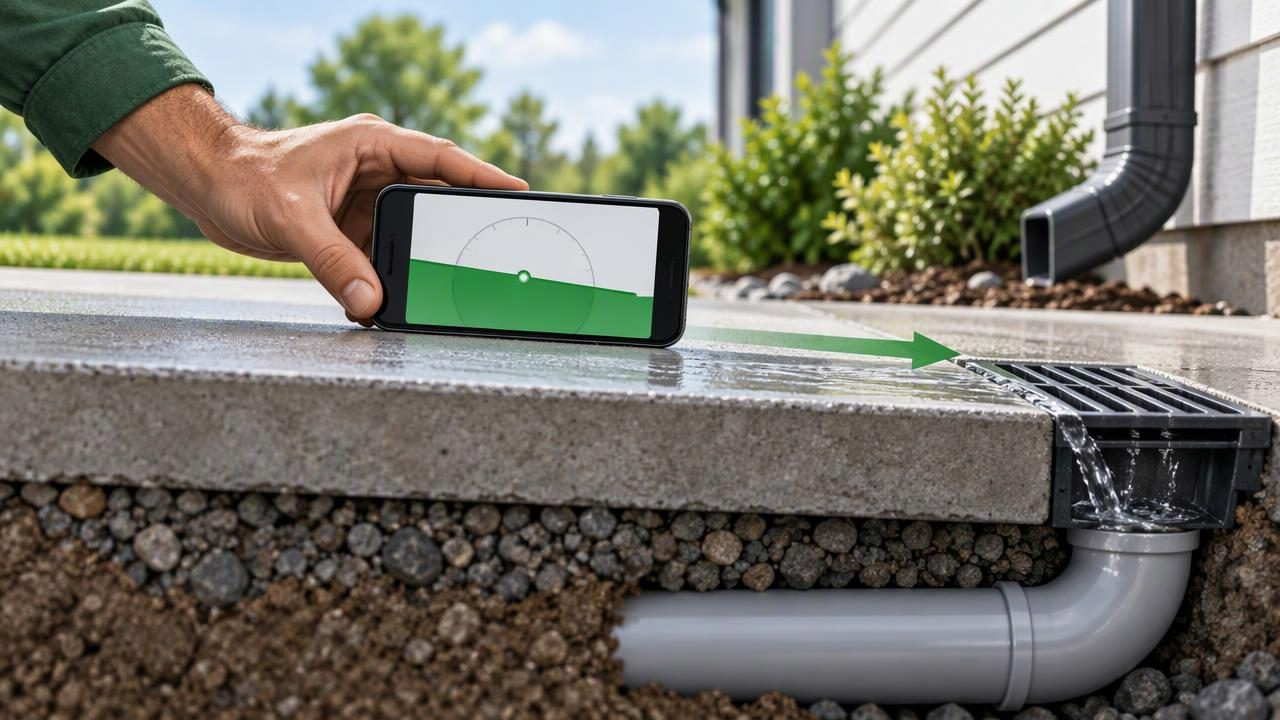
A drainage line can look nearly flat and still have a measurable slope. An inclinometer app can help you check its angle with an iPhone, whether you are inspecting a visible pipe, setting a short drain run, or checking the pitch of a surface that should shed water. The key is using the phone consistently and understanding what the angle means: slope is the change in height over a horizontal distance, not simply a number on a screen.
The best inclinometer app for this task is one that gives a clear angle reading, can be calibrated against a reliable reference, and makes it easy to repeat measurements. An app is useful for a quick check, but it does not replace plumbing requirements, a suitable measuring setup, or professional assessment when a drainage problem could cause damage.
What a drainage slope reading tells you
An inclinometer reports the tilt of the surface relative to gravity, usually in degrees. Drainage slope is often discussed as a percentage or as a vertical fall over a set horizontal distance. These are related but not interchangeable formats.
To convert a slope percentage to an angle, use: angle = arctan(slope percentage ÷ 100). To calculate percentage slope from measurements, divide the vertical drop by the horizontal run and multiply by 100. Keep the units consistent.
| Example fall | Approximate slope | Approximate angle |
|---|---|---|
| 1/8 inch per 12 inches | 1.04% | 0.60° |
| 1/4 inch per 12 inches | 2.08% | 1.19° |
| 1/2 inch per 12 inches | 4.17% | 2.39° |
These are mathematical conversions, not recommendations for a particular drain. Required slope depends on the pipe, fixture, system design, and applicable local rules. Check the relevant code or manufacturer instructions before installing or changing drainage.
How to check drainage slope with an inclinometer app
- Identify the direction of flow. Find the section you can safely access and determine which end should be lower. A reading across the pipe instead of along it will not tell you the fall.
- Choose a stable contact surface. The iPhone needs to rest against a surface that follows the pipe’s direction. If the pipe is too narrow, curved, wet, or uneven for the phone to sit securely, use a straight, rigid bar as a consistent bridge and place the phone on that. The bar becomes part of the measurement, so make sure it is straight and does not rock.
- Calibrate on a suitable reference. Follow the app’s calibration instructions on a surface you have checked as level. Calibration corrects the reference; it should not be done by zeroing the app on the sloping drain if you want to know that drain’s angle relative to level. If the app offers an angle or inclinometer view, select it.
- Align the phone with the run. Position its long axis parallel to the direction water should travel. Avoid rotating the phone between readings. On a two-axis display, confirm that you are reading the axis along the pipe, not the side-to-side tilt.
- Let the display settle and note the angle. Hold the phone still and record the direction as well as the value. A positive or negative sign may depend on the app’s orientation, so verify which end is higher rather than relying on the sign alone.
- Repeat the measurement. Lift and replace the phone or bar in the same orientation and check the reading again. Take readings at more than one accessible point if the run may sag, bend, or change direction.
Concrete example: checking a short drain run
Suppose you are checking a straight, accessible 4-foot section of drain pipe and your design reference calls for a fall of 1/4 inch per foot. The expected total fall is 1 inch over 4 feet. That corresponds to an angle of about 1.19 degrees, using the conversion table above.
Place a straight reference bar along the pipe, with its ends following the same run, and set the phone on the bar with its long edge aligned to the flow direction. If the app displays an angle close to the expected value on repeated placements, that is a useful screening check. It does not prove the pipe has exactly 1 inch of fall: small changes in phone placement, bar contact, calibration, or pipe shape can affect the result. For a more direct check, measure the vertical difference between the two ends over the known horizontal distance and compare it with the project specification.
Why calibration and repeatability matter
A phone’s sensors detect orientation, but the reading is only as useful as the setup. Calibration on a surface that is not truly level can introduce a reference error. A case, raised camera bump, screen protector edge, or uneven contact point can also keep the device from resting in the same plane as the pipe or straightedge.
For repeatable readings, use the same phone orientation and contact method each time. Keep the phone and reference surface stable, avoid pressing unevenly on one end, and take several readings rather than trusting a single momentary value. If readings differ, check for rocking, debris, a loose bar, or a changing pipe profile before deciding the pipe itself is inconsistent.
Features such as an adjustable target, tolerance indication, sound, or haptic feedback can make it easier to notice when a reading is near a chosen angle. They do not improve the physical contact or make a measurement certified. Treat app output as a practical guide and allow for the limits of the device and your setup.
Common mistakes when measuring drainage slope
- Reading across the pipe: A crosswise measurement shows side-to-side tilt, not the fall along the drainage run.
- Using the pipe’s curved surface without checking contact: A phone can rock or rest at an angle that does not represent the pipe’s centerline. A stable straight reference may help, but it must be positioned consistently.
- Zeroing on the sloped surface: This can make the drain appear level relative to itself. Calibrate on a suitable level reference when you need an angle relative to horizontal.
- Assuming degrees equal percent: A 1-degree angle is not a 1% slope. At small angles they may look similar, but they are different measurements. Convert before comparing with a requirement.
- Checking only one point: A pipe can have a reasonable overall fall and still contain a low spot or reverse pitch. Check multiple sections where practical.
- Ignoring the system specification: A general example from the internet cannot establish the correct pitch for every drain. Confirm the requirements for the actual installation.
When an iPhone inclinometer is not enough
A phone app is best suited to accessible surfaces and approximate angle checks. It cannot see inside a concealed pipe, identify a blockage, reveal a leak, or confirm that water flows freely. It also cannot establish the elevation of a long or complex drainage route by itself. For hidden lines or persistent drainage trouble, a plumber may need appropriate inspection and measuring equipment.
Do not place a phone where it could fall into a drain, contact wastewater, or be damaged by moisture. Do not use an app reading as proof of code compliance or as a substitute for a required inspection. If a measurement is close to a limit, verify it with a method and instrument appropriate to the work.
Choosing an inclinometer app for drainage checks
Look for a straightforward angle display, clear calibration instructions, and controls that let you repeat a measurement without confusion. Offline operation is useful in a basement, crawlspace, or remote work area where connectivity is unreliable. A level view can help establish a reference, while an angle view is more direct for comparing a tilted run with a target.
Keep in mind that an app cannot correct a poor measuring surface. Sensor readings, phone geometry, contact, and user technique all matter. Use the app to make a careful, repeatable check, then compare the result with the project’s actual requirement and confirm borderline readings with a more direct measurement.
Use the reading as a practical check
An inclinometer app can make drainage slope easier to inspect by turning a subtle tilt into a readable angle. Start with a reliable reference, align the phone along the flow direction, ensure stable contact, and repeat the measurement. Convert angle to fall or percentage before comparing it with a specification, and check more than one point when the run may be uneven.
For guidance on using an iPhone to measure an angle, see Level Tool’s iPhone angle-measurement guide. Level Tool is an iOS measurement app with a bubble level and angle meter; its core measurements work offline, but an app reading remains a practical measurement rather than certified verification.
