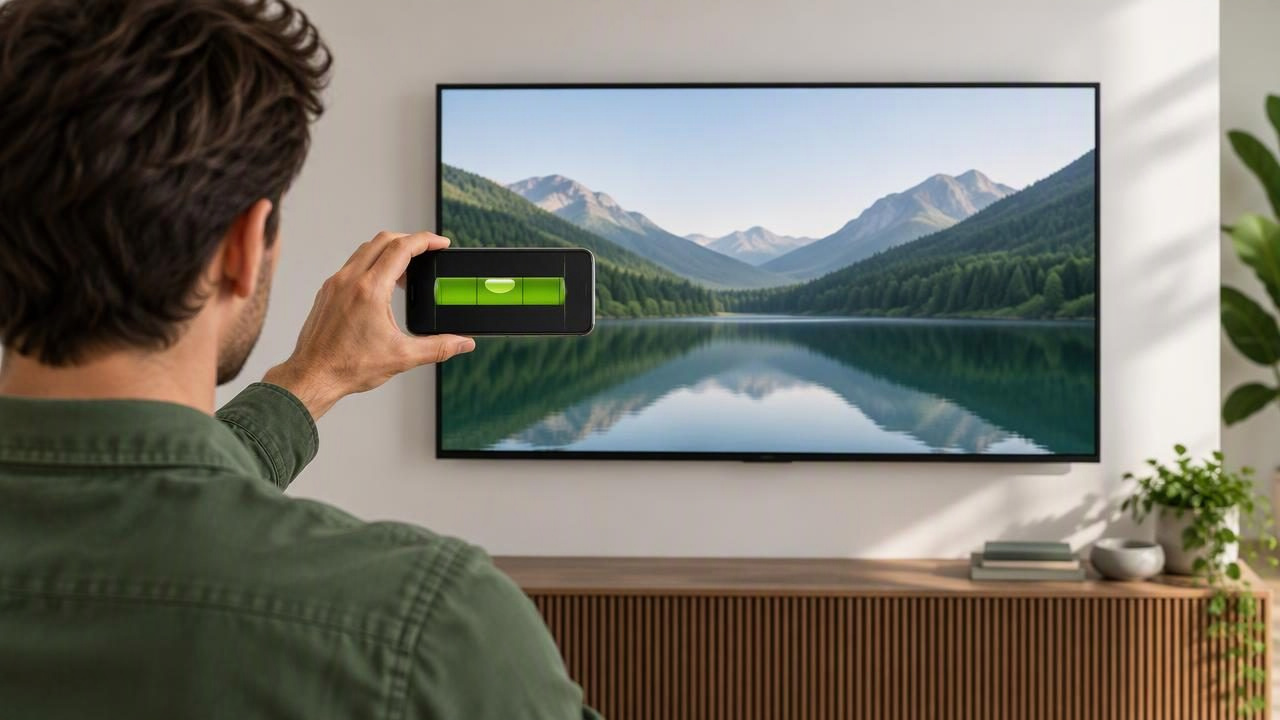
A television can look crooked even when its mounting holes are only slightly out of line. An iPhone digital spirit level can help you check a mounting plate, bracket, or suitable flat TV edge before and after installation. The key is to use the phone as a level reference—not as a substitute for safe mounting hardware or careful measuring.
This guide explains how to align wall mounted televisions with digital spirit level tools, how to improve repeatability, and where phone-based measurements have limits. A bubble level app is especially useful when a traditional level is unavailable, or when you want a clear numerical indication while working alone.
What a digital spirit level can—and cannot—check
A digital spirit level uses a phone’s motion sensors to show whether the surface it rests against is level or angled. For a TV installation, that makes it useful for checking the wall plate or a bracket section with a sufficiently flat contact surface. Depending on the app, an angle meter can also show the surface’s tilt in degrees.
It does not determine whether a wall can support a television, locate studs, confirm that anchors are appropriate, or prove that a mount is installed safely. Nor does it measure the wall or TV from a photograph. Treat the level reading as one part of the installation process, alongside the mount manufacturer’s instructions and suitable fasteners.
Before you begin: choose a reliable reference surface
Phones measure the orientation of the surface they physically contact. That detail matters: a curved television bezel, raised trim, soft cover, or uneven bracket may hold the device at a different angle from the surface you intend to check. Choose a flat, stable area that can safely support the phone.
- Check the phone’s contact: Remove a bulky case if it prevents the phone from resting flat. Do not place the phone on a delicate screen.
- Inspect the mounting plate: Identify a flat horizontal edge or ledge suitable for placing the phone.
- Plan safe access: If checking the TV after it is hung would require reaching behind a heavy screen or holding the phone overhead, do not take that risk. Check accessible components before lifting the TV instead.
- Keep the installation instructions nearby: The level does not replace specified mounting positions, hardware, or load requirements.
Calibrate and establish a repeatable reading
Calibration helps set the app’s reference, but it cannot correct a phone that is being held inconsistently or placed on an uneven surface. Follow the app’s calibration instructions and use a stable reference surface. If you calibrate on a surface whose angle is unknown, the result may simply adopt that angle as its reference.
For a practical check, place the phone in the same position and orientation each time. Note the displayed reading, lift the phone, then place it back in the same spot. If the reading changes noticeably, inspect the contact points, phone case, and surface before making an adjustment. Repeatability is more useful than relying on a single quick glance.
Some digital levels provide targets, a tolerance setting, and sound or haptic feedback. These can make it easier to notice when a reading enters a chosen range, especially if your view of the screen is awkward. A tolerance is a working threshold, not a certification of measurement accuracy. Choose a setting that suits the task and verify the result by repositioning the phone.
Step-by-step: level the TV mounting plate
- Mark the intended TV position. Use the mount’s instructions to determine the height and placement. Consider the viewing position, cable access, and any required clearances before drilling.
- Locate and verify fixing points. Identify suitable structural support and use fasteners specified for the wall type and mount. A digital level does not locate studs or validate anchors.
- Hold the plate in position. Align it with your marks and keep it supported. If the plate has a flat horizontal ledge, place the phone on that surface without letting it slip.
- Read the level indicator. Wait for the display to settle. If the app has a target or tolerance feature, use it as a visual guide rather than assuming the reading alone guarantees a perfect installation.
- Adjust and recheck. Make small corrections while the plate is supported. Remove and replace the phone in the same orientation to confirm that the reading is repeatable.
- Secure the plate and check again. Tightening fasteners can shift a plate slightly. Recheck the surface after fastening, while following the mount instructions and avoiding over-tightening.
Example: Suppose the plate’s horizontal edge appears level by eye, but the app shows a small tilt to one side. Before moving the plate, lift and replace the phone at the same location. If the reading repeats, make a small adjustment and check again. If the second reading differs, the phone may be resting on a seam or the plate may not provide a consistent contact surface. Resolve that issue before relying on the number.
Check the TV after mounting—only when safe
Once the television is attached, you may want to confirm that it appears level. Use a flat, stable top edge only if the TV’s design provides one and you can reach it without pushing, lifting, or destabilizing the screen. Never rest a phone on the display panel. If the top edge is curved, sloped, or too narrow, it is not a dependable surface for this check.
For a tilting or articulating mount, the screen can intentionally sit at an angle. A level reading on the TV may therefore reflect the chosen viewing adjustment rather than an incorrectly installed wall plate. Check the mount’s fixed plate separately when possible, and distinguish its alignment from the TV’s final viewing position.
Digital level app or traditional spirit level?
| Tool | Useful for | Considerations |
|---|---|---|
| iPhone digital spirit level | Quick checks on accessible, flat surfaces; angle readings and feedback | Depends on sensor reference, phone placement, and a suitable contact surface |
| Traditional spirit level | Checking a longer edge or spanning a broad mounting plate | Needs to be long enough and placed on a stable surface |
| Tape measure | Repeating height and position marks | Does not show whether a surface is level by itself |
These tools can complement one another. A tape measure helps position the mount consistently, while a level checks orientation. A longer physical level can be useful where the bracket is broad or the phone has no reliable place to sit. For a small or awkward ledge, the phone may be more convenient—but only if it contacts the surface properly.
Common mistakes that lead to a crooked result
- Leveling the wrong part: A decorative cover or angled bracket face may not represent the mounting plate’s horizontal edge.
- Changing phone orientation: Rotating or shifting the phone between readings makes comparisons less reliable.
- Trusting one reading: Repeat the placement and check for consistent results before adjusting the bracket.
- Confusing level with centered: A plate can be horizontal but positioned too far left or right. Measure placement separately.
- Assuming level means safe: A straight-looking mount can still have unsuitable fasteners or inadequate support. Follow the mount and TV instructions.
- Forcing an after-installation check: Do not climb, stretch, or handle a heavy TV in an unsafe way just to get a reading.
How accurate is an iPhone bubble level?
A phone’s sensors provide a useful orientation estimate, but results depend on calibration, placement, the device, and the surface being measured. Small differences can come from a case, a raised edge, movement, or inconsistent contact. An app reading should not be treated as certified accuracy, and this guide does not promise a particular tolerance or result.
For better confidence, establish a reference, keep the phone in the same position and orientation, wait for the display to settle, and repeat the measurement. If the readings disagree or the mounting surface is irregular, use a suitable physical level or another appropriate method. When the TV or bracket is heavy, prioritize safe handling over an extra measurement.
A practical final check
Before finishing, confirm that the mount is secured according to its instructions, the TV is attached as specified, and cables are not pulling the screen to one side. Stand back and assess the display against nearby visual references, such as a shelf or architectural line, while remembering that those features may not themselves be level. If a correction is needed, consult the mount’s adjustment instructions rather than forcing the TV or loosening hardware without support.
A digital spirit level can make TV alignment more manageable when it has a dependable surface to contact and you repeat the measurement consistently. For an iPhone workflow covering angle measurement and reference setup, see Level Tool’s guide to measuring angles with an iPhone. Level Tool is an iOS measurement app; as with any phone-based level, use its reading as a practical guide and follow safe installation requirements.
